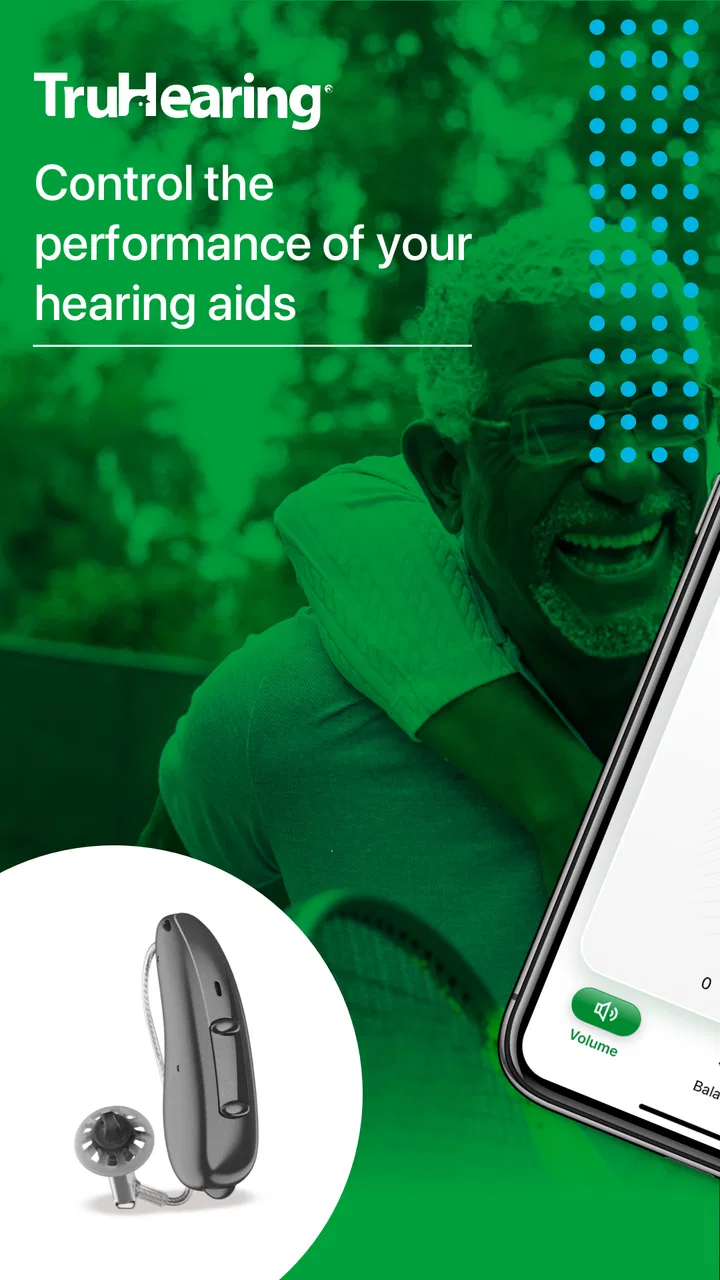
TruHearing App
- 2.9
- Rating
- 100.00K
- Installs
- Free
- Price

 Analysis by App-foxy
I approached TruHearing App as a companion for people who already use compatible hearing aids and want a phone-based way to manage the listening experience. That distinction matters: this is not a general hearing test, a replacement for professional care, or a broad medical reference tool. It belongs in the practical, everyday side of the medical app category, where the goal is to make hearing-aid use less awkward and more manageable.
The app is developed by Sivantos Pte. Ltd. and is available free of charge. That makes the first decision fairly simple: there is no app purchase to weigh against its usefulness. The more important question is whether it fits your hearing-aid setup and whether its controls genuinely improve your routine. My overall impression is that it can be worthwhile for the right user, but its value depends heavily on compatibility and on how much control you want from a phone.
What the app is really useful for
The central appeal is convenience. Hearing aids are easy to think of as something you put on and forget, but real life is not that predictable. A quiet room, a busy restaurant, a television in the background, a walk outdoors, and a conversation in a car can all feel different. An app designed around hearing-aid use can give you a more direct way to interact with that changing routine instead of relying only on the physical devices.
You May Also Like

 Blood Strike: 2.5 Anniversary
Blood Strike’s Loadouts Turn Every Drop Into a Tactical Gamble
A close look at Blood Strike’s custom loadouts: how fast access to signature weapons reshapes its battle royale rhythm, rewards preparation, and narrows the gap between fights.

 Pandora - Music & Podcasts
Pandora’s Music Is Easy to Start, but Harder to Recover
Pandora’s strength is its low-effort path from a seed to a station. Its weak spot is how much confidence it asks you to place in connection, setup, and quiet recovery.

 8 Ball Pool
 Is Built on Rivalries, Rematches, and Routine
A close look at the rivalries, rematches, shared routines, and unanswered safety questions that turn a quick pool match into a persistent mobile community.

 Samsung Music
’s Quiet Strength Is Playing What You Already Own
Its reach comes less from spectacle than from dependable access to a personal library. That simplicity is both the app’s strongest retention engine and its ceiling.

 AccuWeather: Weather Radar
AccuWeather Review: A Quick, Clear Forecast for Everyday Decisions
For everyday plans, the best forecast is the one you can understand quickly. AccuWeather makes rain timing, radar, and local conditions easy to act on, with a few trade-offs.

 Hill Climb Racing
Why Hill Climb Racing Still Turns Crashes Into One More Run
A tiny car, a bumpy hill and one more upgrade: Hill Climb Racing keeps resurfacing because its simple chaos makes every near-miss feel personal.
More From Our News Desk



In my view, the strongest reason to try this particular app is not the promise of a dramatic transformation. It is the possibility of making small adjustments or checking your setup without treating every inconvenience as a reason to stop using the aids. That can be especially helpful for someone who is still building confidence with hearing technology and wants the phone to feel like a familiar control point.
At the same time, I would not install it expecting it to work as a universal hearing solution. The app is tied to the TruHearing experience and compatible hearing aids, so the first practical step is to confirm that your devices are supported. A free download is only valuable if it connects to the equipment you actually wear. If you are looking for a standalone hearing assessment, hearing protection advice, or a general sound-amplification tool, this is the wrong category of app.
How it fits into a normal day
Imagine leaving home for a morning appointment, stopping at a café, and later watching television with a family member. The useful role of a hearing-aid companion is to reduce the friction between those situations. Instead of treating each environment as a technical problem, you can use the app as part of a repeatable routine: check the connection, make the adjustment that suits the moment, and return to listening.
That workflow is more realistic than assuming one setting will feel perfect everywhere. People often judge hearing aids by their worst environment, even though the problem may be a mismatch between the current situation and the current adjustment. A phone interface can help you respond sooner, which may prevent the familiar cycle of removing the aids, giving up on a conversation, and wearing them less often afterward.
There is also a social benefit to having the control on a phone rather than repeatedly handling the devices themselves. In a restaurant or meeting, subtle phone interaction may feel less disruptive than taking the aids out or asking someone else to help. That is a small detail, but small details often determine whether a medical accessory becomes part of daily life.
What free access means here
The app is free, so the value question is about usefulness rather than purchase price. I like that arrangement for a companion tool: you can test whether it belongs in your routine without committing money first. If it connects properly and saves you repeated effort, free access makes the trial easy to justify.
Still, “free” should not be confused with “universally useful.” The app does not become a good choice simply because there is no charge. Its practical value comes from working alongside the right hearing aids and from offering controls you will actually use. Someone with no compatible device may gain little from installing it, while an existing user may find the same download genuinely helpful.
I also think it is important to separate the app from the cost of hearing care itself. The application is free, but that does not tell you anything about the price of hearing aids, fitting, maintenance, professional appointments, or other services. I would evaluate those separately rather than assuming the app represents the total cost of the hearing solution.
The interface matters more than the feature list
Medical companion apps succeed when they lower mental effort. Hearing difficulties already demand concentration, especially in crowded spaces. If an app makes the user hunt through complicated screens, it adds another layer of work at exactly the wrong moment. My standard for this kind of tool is simple: I should be able to understand what I am changing and why I am changing it.
That is also where expectations need to stay realistic. A phone screen can present controls more clearly than tiny physical buttons, but it cannot remove the need to learn how your own hearing aids behave. The first few uses are best treated as familiarization rather than emergency troubleshooting. I would experiment at home, note which adjustments help in quiet and noisy settings, and only then depend on the app in a crowded public place.
A useful habit is to make one change at a time. If you alter several settings together, it becomes hard to know which action improved the sound and which one made it worse. This is a particularly practical tip for new users: keep the process controlled, and remember that comfort and clarity are not always the same thing.
Where the experience can become frustrating
The average rating is 2.9 from around 3.4 thousand ratings, with about 1.9 thousand written reviews. I read that as a reason to approach the app with measured expectations rather than as an automatic rejection. A middling score often reflects the fact that companion apps are judged not only on their interface, but also on connection behavior, device compatibility, phone differences, and the user’s expectations of what the app should do.
For a hearing-aid user, a connection problem is more than a minor annoyance. If the app does not recognize the devices when you need it, the main benefit disappears at that moment. This is why I would test the setup before an important appointment, trip, or family event. Do not make the first serious trial the day you need reliable listening.
Another limitation is that an app cannot solve every hearing problem through software. If speech remains unclear, one side feels uncomfortable, or sounds seem unbalanced, repeatedly changing app controls may not be the right answer. A professional fitting or hearing-care conversation may be more appropriate. The app can support a hearing-aid routine, but it should not encourage you to postpone care when the underlying issue is physical, medical, or device-related.
Who is most likely to get value from it
I would recommend trying it first to people who already use compatible TruHearing hearing aids and regularly move between different listening environments. The benefit is strongest when you want more convenient day-to-day control, dislike handling small devices, or prefer having guidance available on a familiar screen.
It may also suit family members who help an older relative become comfortable with hearing aids. A phone-based workflow can make conversations about adjustments more concrete. Instead of asking whether the sound is “better,” you can observe which situation is causing difficulty and help the user approach the change methodically. That does not replace independence, but it can make the learning period less intimidating.
People who are new to hearing aids may appreciate the app as a bridge between professional fitting and everyday use. The fitting appointment happens in a controlled setting; daily life does not. A companion app gives the user another way to engage with the devices after leaving the clinic or fitting environment, which can make the transition feel less abrupt.
On the other hand, I would skip it if you do not own compatible hearing aids, if you want a hearing-screening app, or if your main goal is to amplify sound through ordinary headphones. I would also be cautious if you dislike phone-based controls or find switching between apps stressful. In that case, a simpler device-focused approach may be better, even if it offers fewer options.
How it compares with ordinary alternatives
The most obvious alternative is using the physical controls on the hearing aids. That approach has one clear advantage: it does not depend on opening a phone or navigating an interface. For quick, familiar adjustments, the devices themselves may be faster. The drawback is that small controls can be difficult to handle, especially discreetly, and they may not communicate as clearly what has changed.
Another alternative is relying on a professional for every adjustment. Professional support remains important, particularly when the issue involves comfort, speech clarity, or a persistent imbalance. But appointments cannot cover every room, conversation, and daily interruption. The app has a different role: it can make ordinary situations easier to manage between visits, provided the underlying fitting is sound.
General hearing or sound-amplification apps are not direct substitutes. They may be useful for people exploring audio accessibility without hearing aids, but they do not offer the same device-companion relationship. Choosing between them depends on your starting point. If you already wear compatible aids, a dedicated companion is more relevant. If you do not, a broader hearing app may make more sense.
There is also the option of doing nothing and accepting the default hearing-aid behavior. That is perfectly reasonable for someone whose aids already feel comfortable everywhere. In that situation, the app may add another layer without solving a real problem. I would not install it just because it exists; I would install it because a specific part of your routine is inconvenient.
Small habits that make the trial more useful
Before judging the app, I would prepare in a quiet place with the hearing aids charged and the phone close by. The goal is not to test every possible control at once. It is to establish whether the devices connect, whether the app is understandable, and whether the basic interaction feels comfortable. That short preparation can prevent confusion later.
Next, test one familiar environment at a time. A quiet conversation is a good baseline because it lets you notice whether an adjustment changes comfort or speech perception. After that, try a television program or a mildly busy room. Keep your expectations modest: the purpose is to learn your own preferences, not to create a perfect setting for every sound source.
For a restaurant or group gathering, decide in advance what you will do if listening becomes tiring. You might check the app before the conversation starts, keep the phone accessible, and avoid making several changes while someone is speaking. The best use of a control app is often preventative rather than reactive. A few seconds of preparation can be less disruptive than troubleshooting in the middle of a conversation.
I would also avoid using the app as a reason to chase louder sound. Louder is not automatically clearer, and increasing volume can make some environments more tiring. If you find yourself making frequent, large changes, that pattern is useful information to take to a hearing professional. It may indicate that the fitting or the device itself needs attention rather than another temporary adjustment.
Device and software considerations
The app requires an operating system version of 10 or newer, so the phone’s software is part of the basic eligibility check. The current version is 2.8.0.16337. I would check both the phone and the hearing-aid compatibility before planning around it, especially if you use an older handset or rarely update your software.
Its content rating is Everyone, which fits the app’s practical medical-companion purpose. That does not mean every user will find it equally easy to operate. Accessibility is personal: screen size, vision, dexterity, hearing needs, and comfort with phone settings all affect the experience. If a family member is helping, I would let the actual wearer perform the controls whenever possible so the routine remains theirs.
The app has passed the 100 thousand install mark, so it is not an obscure one-off download. Even so, that number should not be treated as proof that it will suit every hearing-aid user. The relevant test is still personal: does it work with your equipment, does it make adjustments easier, and does it reduce rather than add frustration?
My recommendation for different users
For a current TruHearing user who wants a free way to interact with compatible hearing aids from a phone, I think trying the app is reasonable. There is little financial risk, and the potential convenience is meaningful in everyday situations. I would give it a fair trial over several environments rather than deciding after one brief launch.
For someone choosing hearing aids for the first time, I would treat the app as one part of the decision, not the deciding factor. The quality of the fitting, the support available to you, comfort, speech understanding, and long-term usability matter more than the presence of a companion application. Ask whether the app complements the devices you are considering, but do not let it distract from the hearing solution itself.
For a user who is already satisfied with physical controls and rarely changes settings, the app may not add enough value. Your best alternative could simply be the routine you already trust. Technology is useful when it removes friction; it is unnecessary when it creates another task.
For anyone hoping to diagnose hearing loss, replace a clinician, or turn a phone into a complete hearing aid, I would skip this one. Its purpose is narrower and more practical. That narrower focus is a strength for the right audience, but it is also the reason it will disappoint people searching for a general medical answer.
Final judgement on value
TruHearing App is a free medical companion aimed at making hearing-aid use more manageable in ordinary life. I like its basic proposition because it addresses a real problem: listening conditions change, and users sometimes need a convenient way to respond. The app is most convincing when viewed as a bridge between professional fitting and the unpredictable environments where hearing aids are actually worn.
My reservations are equally practical. Compatibility comes first, connection reliability matters, and no phone interface can compensate for a poor fit or an unresolved hearing problem. The middling average rating suggests that the experience has not been uniformly smooth for everyone, so I would test it calmly rather than depend on it immediately for an important event.
My verdict is try it if you already use compatible TruHearing hearing aids and want free, phone-based convenience; skip it if you need a standalone hearing tool or your current routine already works perfectly. In that specific situation, the app can earn its place by saving effort, not by promising more than a companion app can realistically deliver.
FAQs for TruHearing App
01What is the TruHearing app used for?
The TruHearing app is designed to help eligible users manage compatible hearing-care services and supported hearing aids from a mobile device. Depending on your plan and device, it may provide access to hearing-care information, appointment or provider details, benefit guidance, and tools for adjusting or monitoring hearing aids. Available features can vary by insurance coverage, hearing-aid model, and location.
02Can I use the TruHearing app without TruHearing coverage or a compatible hearing aid?
You may be able to download and open the app without coverage, but many of its useful functions require an eligible TruHearing benefit, an account, or a compatible hearing-aid system. The app is not a universal hearing test or a replacement for professional care. Before downloading, check whether your insurance plan participates, whether your provider uses TruHearing, and whether your hearing aids are supported.
03How do I connect my hearing aids to the TruHearing app?
Connection normally requires Bluetooth-enabled hearing aids, a compatible Android or iPhone device, and the hearing-aid manufacturer’s supported mobile connection process. You may need to enable Bluetooth, keep the hearing aids nearby, and follow the pairing instructions shown in the app. If the aids do not appear, restarting Bluetooth, replacing or charging batteries, and checking phone compatibility may help.
04Does the TruHearing app replace an audiologist or hearing test?
No. The app can make hearing-care management more convenient, but it should not be treated as a diagnosis, medical examination, or substitute for an audiologist. Hearing loss can have different causes, and incorrect settings may reduce clarity or comfort. Users should arrange professional testing and follow their provider’s recommendations, especially if hearing changes suddenly or symptoms such as pain, dizziness, or ringing occur.
05Is the TruHearing app free, and what information is required to use it?
Downloading the app may be free, but access to hearing aids, benefits, providers, or other services can depend on your TruHearing eligibility and plan. Registration may require personal details such as your name, contact information, member or account information, and possibly device details. Review the app’s privacy policy and permissions before signing in, particularly if you are concerned about health-related information or Bluetooth access.
Pros
- Quick access to hearing-aid support and account information.
- Helpful tools for managing appointments
- orders
- and device-related services.
- Can simplify communication with TruHearing support from a mobile device.
- Useful for reviewing available hearing-care benefits in one place.
- Convenient for users who prefer digital access over phone assistance.
Cons
- Some features may require an active TruHearing account or eligible benefits.
- App usefulness depends on the services available through your insurance plan.
- Certain tasks may still require contacting a hearing-care professional directly.
- Performance and available features can vary by device and app version.
- Users may need to share personal health or account information to use it fully.

TruHearing App
Gallery